Add Price & Condition Labels to Your Card Photos
Create professional listings in seconds. Card Tag lets sellers and traders label photos with prices, conditions, and quantities.
Download on the App Store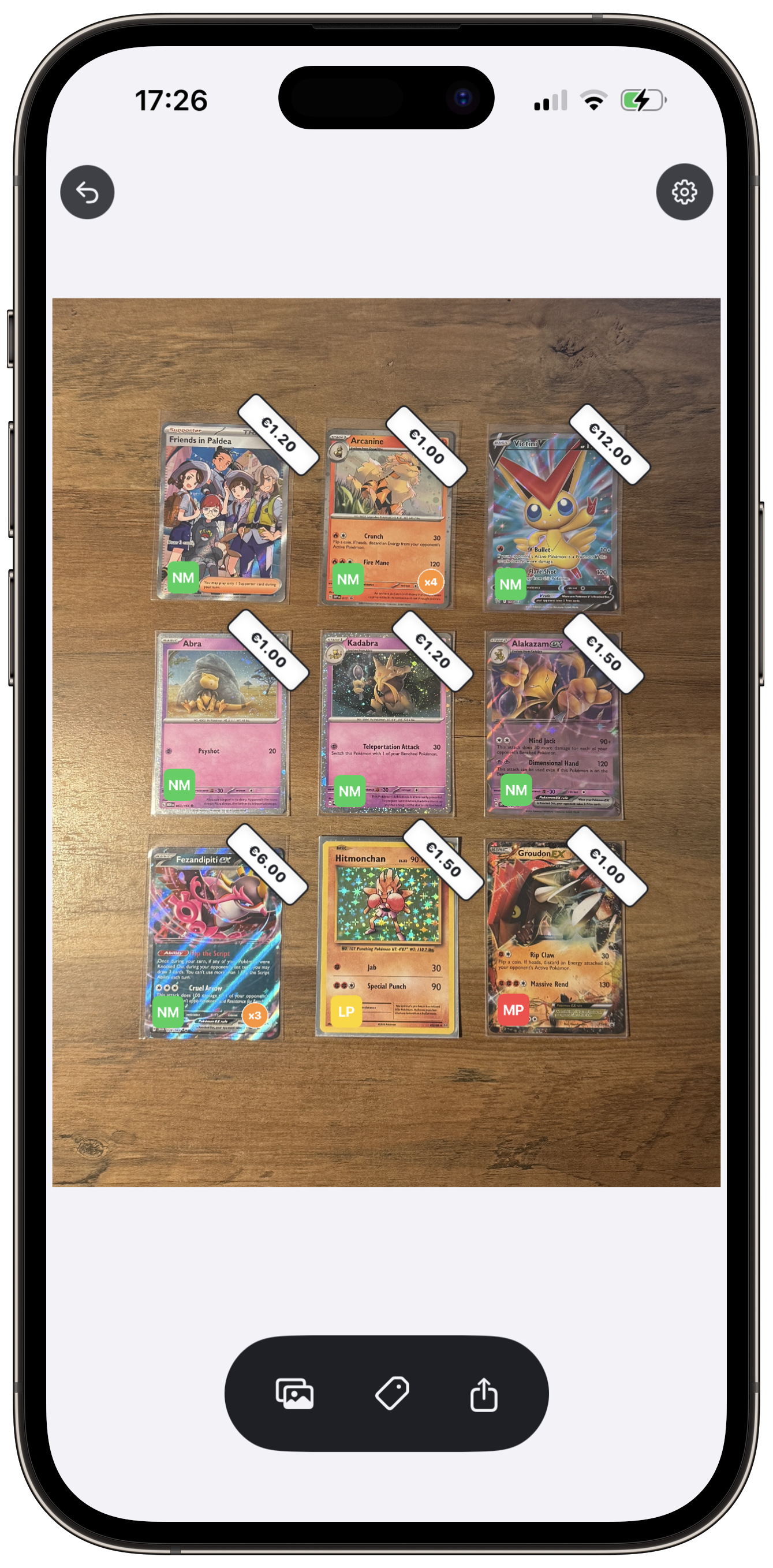
Why Card Tag
Built for sellers and traders who want listings that sell.
Price labels in seconds
Add bold, readable price tags to your card photos. Choose your currency—EUR, GBP, USD, or CAD—and show buyers exactly what you're asking.
Condition badges for buyers
NM, LP, MP—standard grading terms buyers trust. Add clear condition labels so there's no guesswork.
Clean, professional listings
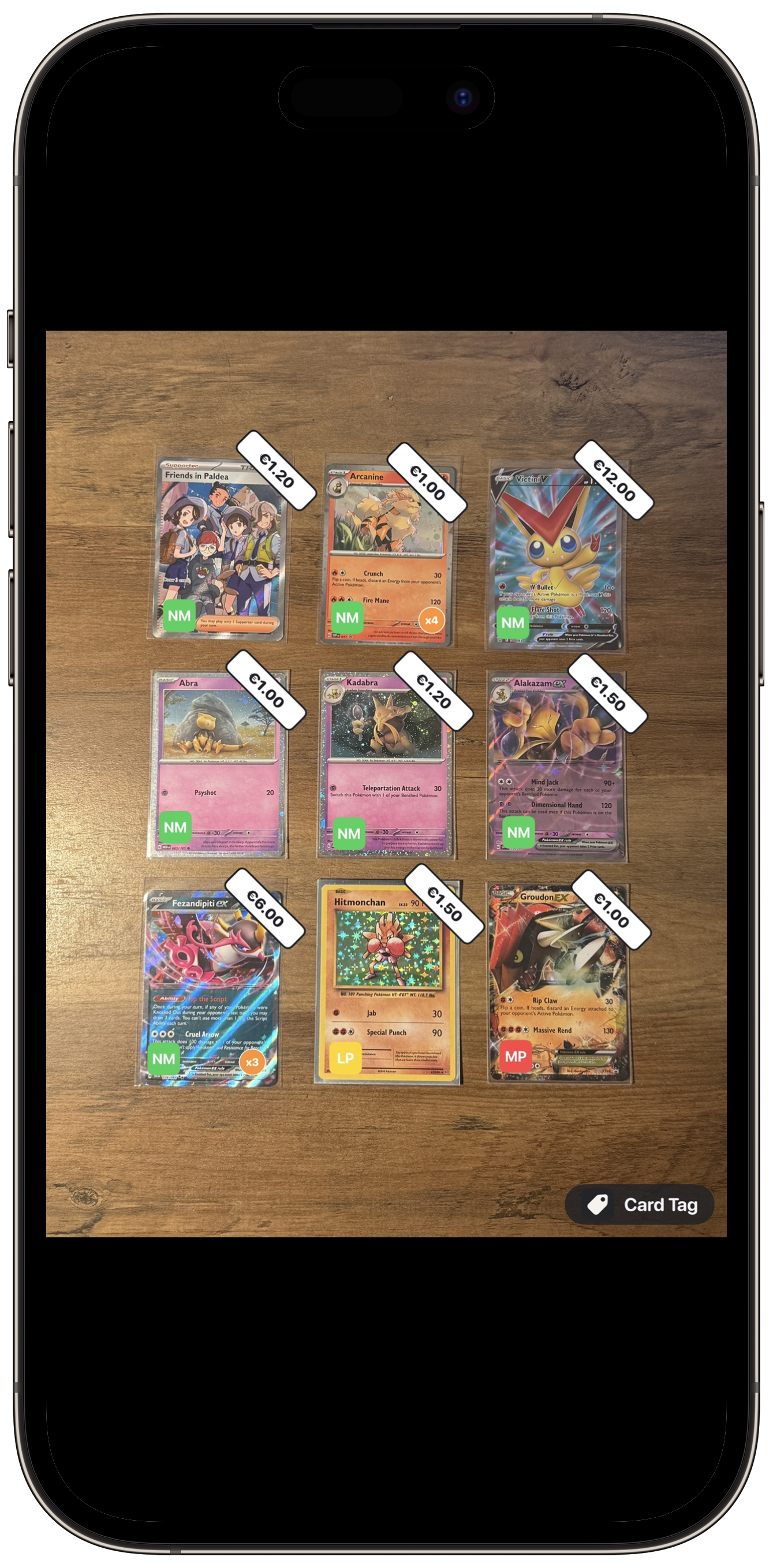
Export polished photos ready to list. Your cards stand out on eBay, Facebook, Instagram, and anywhere you sell.
Multi-currency support
Switch between Euro, Pound, Dollar, and Canadian Dollar. One app, any market.
Key Features
Everything you need to label card photos like a pro.
Price labels
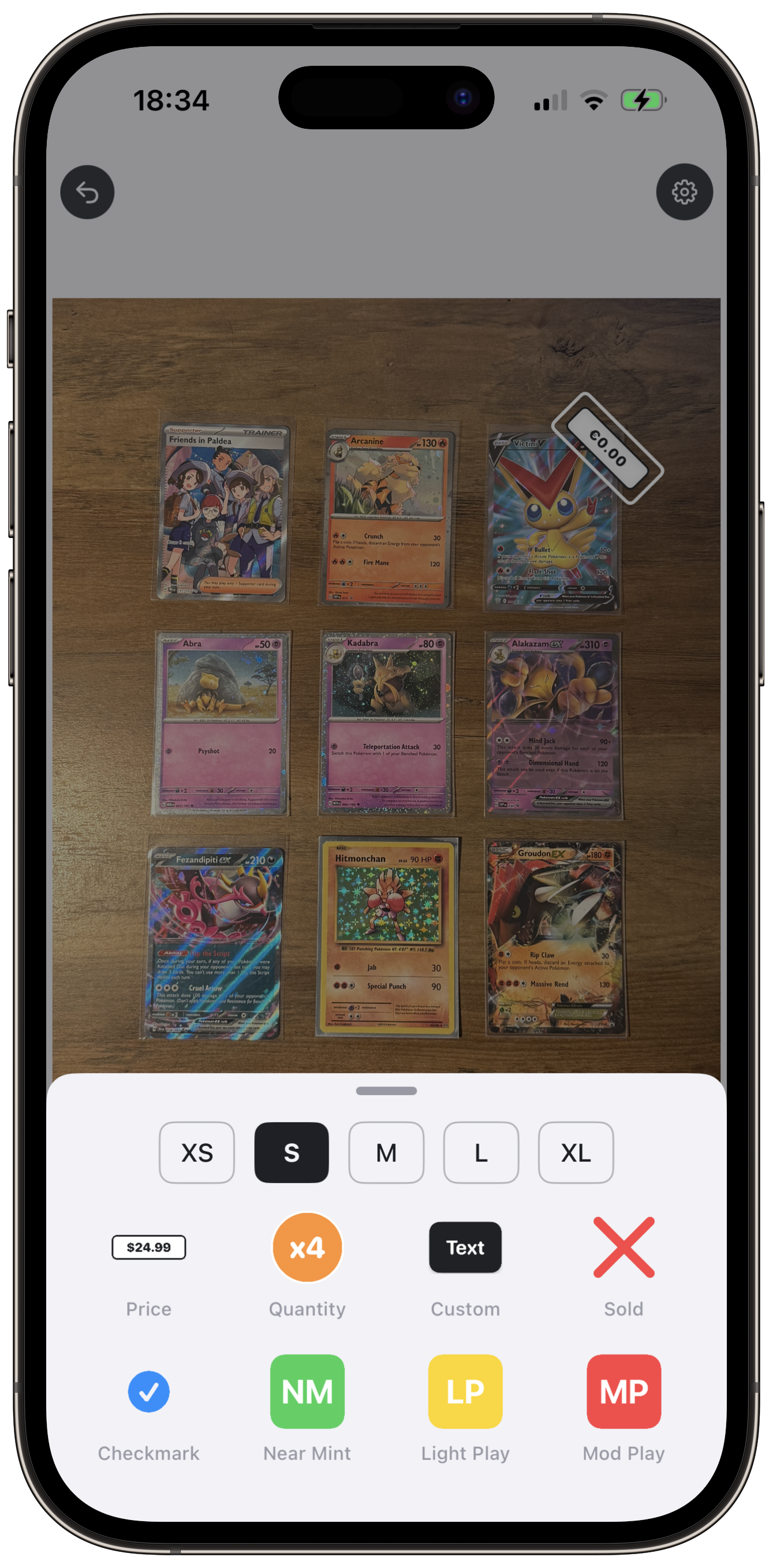
White labels with bold borders, rotated 45° by default. Drag, resize, and duplicate in a tap.
Condition badges
NM (green), LP (yellow), MP (red). Rounded squares with white text—the format buyers know.
Quantity & custom text
Orange quantity badges (x2, x4) and multi-line custom text stickers for notes and descriptions.
Save to Photos
Export finished photos to your library in one tap. Ready to share or list on any marketplace.
See It In Action
Card Tag in use—label, export, list.
Frequently Asked Questions
Quick answers for sellers and traders.
Tap the sticker button at the bottom of the screen to add a new sticker. Choose from price labels, quantity badges, condition badges, or custom text.
Tap a sticker to select it, then either drag the sticker directly or drag anywhere on the image to reposition it. Tap on empty space to deselect.
First, tap a sticker to select it. Then long-press (hold for half a second) anywhere on the image where you want the copy to appear. The duplicate will be placed exactly where you pressed.
Drag the sticker off the edge of the image and release. You'll feel a haptic vibration when the sticker is ready to be deleted.
NM (Near Mint) – Excellent condition.
LP (Light Play) – Minor wear.
MP (Moderate Play) – Noticeable wear.
These are common trading card grading terms.
Yes! Go to Settings and select your preferred currency (Euro, British Pound, US Dollar, or Canadian Dollar).
Send Feedback
Help us improve Card Tag. Share your ideas, report bugs, or suggest features.
Thanks! Your feedback has been sent.
Ready to label your card photos?
Download Card Tag free on the App Store.
Download on the App StoreComing soon. Add your App Store URL when live.